Yubikey hardware token
Disabling Keyboard emulation on touch
By default the Yubikey has a Yubikey OTP mode enabled that does keyboard emulation on touch were it fills in a 44 char random string whenever you touch the yubikey for ~1.5seconds.
(Typically something that looks like cccccbcdgvvdrjgfnbeunhuutccliccrbtinukbjtknej)
This can be quite annoying at times, so you may want to disable this feature.
Download and install YubiKey Manager
Launch the YubiKey Manager with your Yubikey plugged in
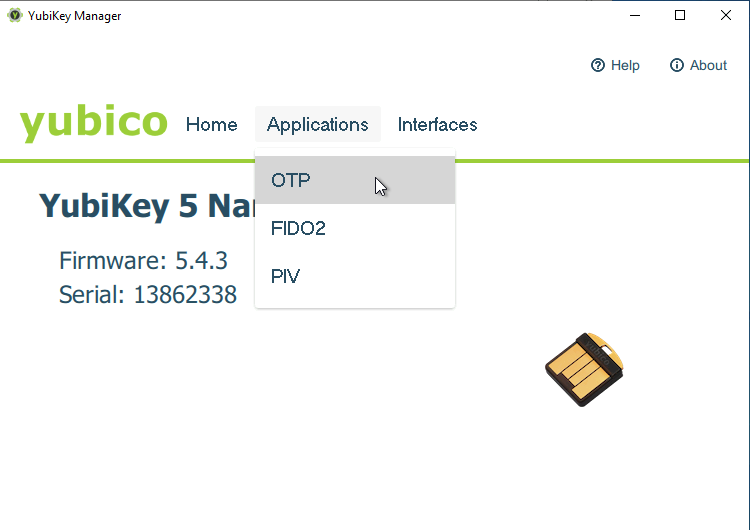
Select
Application->OTPin the menu
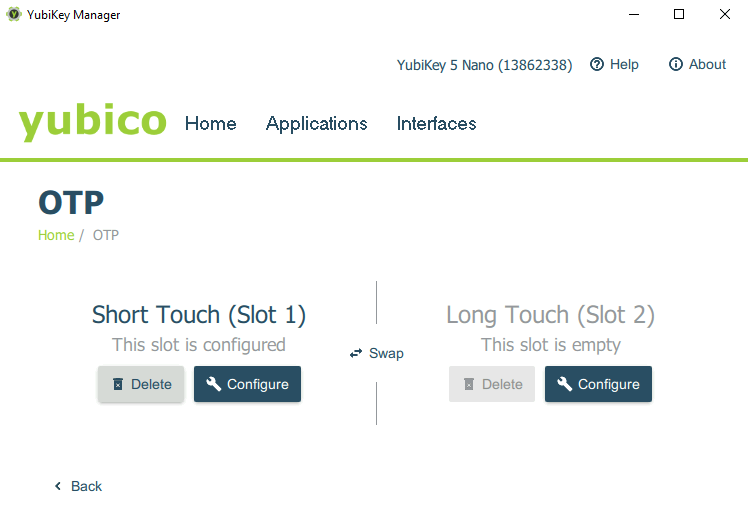
Short Touch (Slot 1)is preconfigured withYubikey OTP, clickDelete
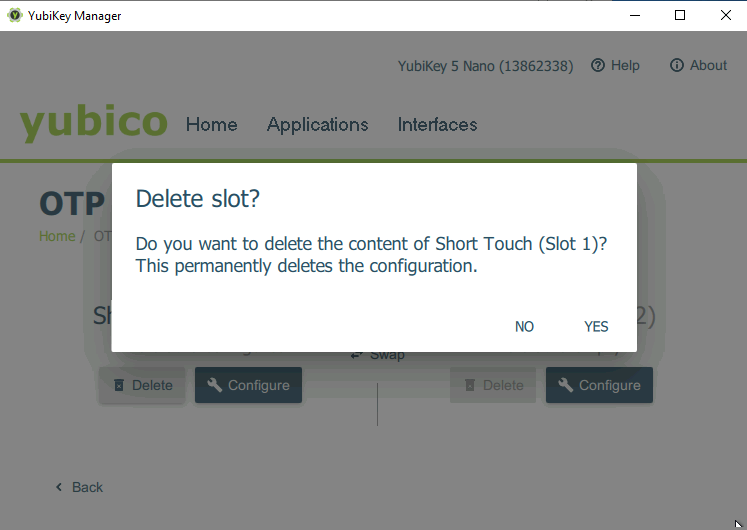
Click
YES
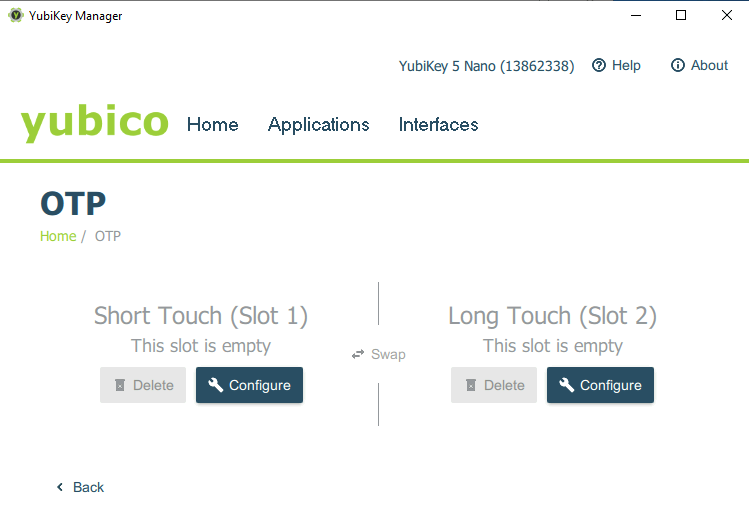
Done, the feature is now disabled